Huawei Static Routing
Static Route is a manual simple route configuration. In
Huawei Routers, Static Routing is similar to the other platforms like
Cisco Static Routing,
Nokia Static Routing etc.
The concept is simple:
- Write “ip static route”
- Add “the Destination IP and Subnet Mask”
- Add “the Gateway”
You can download this configuration on Huawei eNSP Labs Page.
Huawei Static Route Configuration Example
Here, we will show
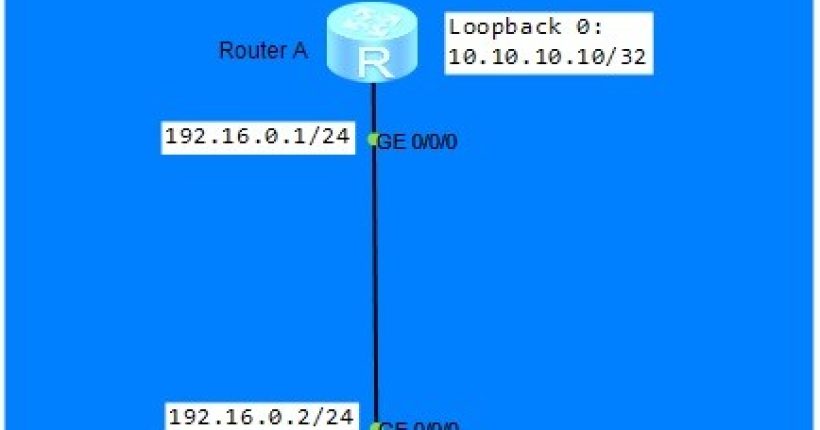
Huawei Static Route Configuration on the below topology.
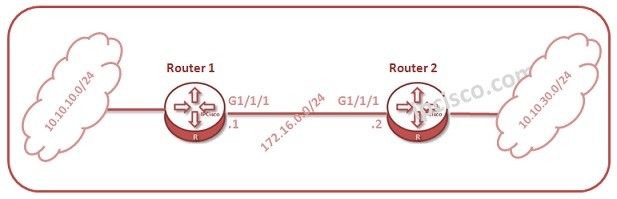
As you can see, we have two routers and two different networks that the other end router do not know. So, with
Static Route Configuration, we will show “
how to reach that far network” to each router. We will configure firstly Router 1 and then Router 2.
On Router 1, we will do one of the below
Huawei Static Routing Configurations. These three configuration is same. It is up to your configuration behaviour.
system-view
[Huawei-Router1]
ip route-static 10.10.30.0 255.255.255.0 172.16.0.2
OR
system-view
[Huawei-Router1]
ip route-static 10.10.30.0 255.255.255.0 GigabitEthernet 1/1/1
OR
[sc name=”ContentRMessage”]