What Are The Top Network Commands in Linux?
Linux is used in the servers as an operation system in many networks. It is the most important and widely used operating system in the World. There are various Linux Commands. Some of these commands are used more in networking and they aremore important for network engineers. In this lesson, we will learn important Network Commands in Linux.You can also access Top Linux Commands and Download Linux Command Cheat Sheet!
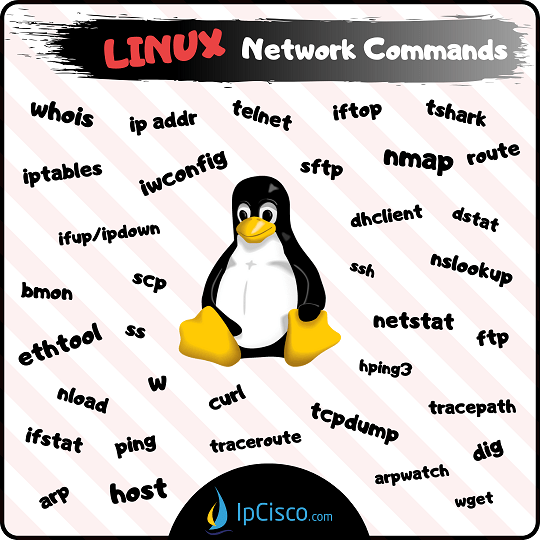
 Here, we will learn the below Top 35 Network Commands in Linux:
- arp command
- arpwatch command
- bmon command
- curl command
- dhclient command
- dig command
- dstat command
- ethtool command
- ftp command
- host command
- ifstat command
- ip addr command
- iptables command
- iftop command
- ifup/ifdown command
- iwconfig command
- netstat command
- nload command
- nmap command
- nslookup command
- ping command
- route command
- scp command
- sftp command
- ss command
- ssh command
- tshark command
- hping3 command
- tcpdump command
- telnet command
- tracepath command
- traceroute command
- w command
- wget command
- whois command
Now, let’s talk about each of these Network Commands in Linux used for network activities by network engineers or system admins.
arp command
To see the ARP Table of your server, you can use “arp command”. There are some parameters that can be use with arp command, but to see the default Linux ARP Table, you can use this command with “-e” parameter. $ arp -e Address HWtype HWaddress Flags Mask Iface 192.168.1.1 ether 00:aa:45:12:00:11 C eth0arpwatch command
arpwatch command is used to monitor ethernet activity and Ethernet/ip pairings. Arpwatch can be used with various parameters. For example, if you use “-i” parameter, you can use arpwatch for a specific network interface. Or you can use “-d” parameter for debugging. $ sudo arpwatch $ sudo arpwatch –i eth0 $ sudo arpwatch –d eth0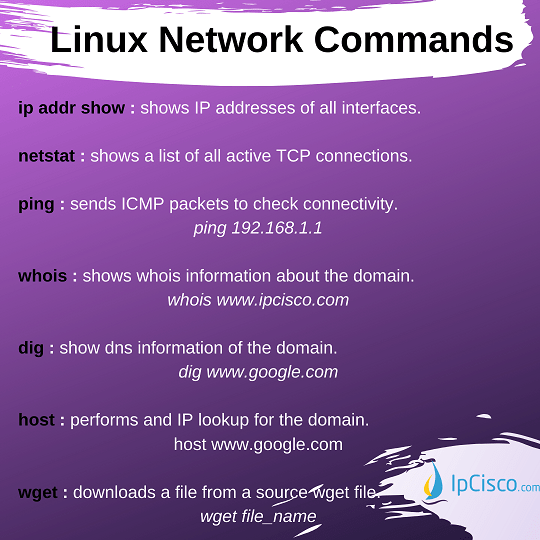
bmon command
bmon command is used to monitor bandwidth, captures data and provide a human-readable data with this information. $ bmoncurl command
curl command is one of the Network Commands in Linux that is used for file transfer. Curl can use various protocols like HTTP, HTTPS, FTP, FTPS, SFTP, SCP etc. For example, with the below command, you can download abc.txt from xyz.com to your local machine. $ curl –O https://xyz.com/abc.txtdhclient command
dhclient command is used to analyze clients ip address, subnet mask, gateway, dns server etc. It also provide to release and renew ip addresses. For example, to renew eth0 ip address, we can sue the below command: $ sudo dhclient eth0dig command
“dig” is the abbreiation of Domain Information Gropher. It is mainly used for simple DNS lookup to DNS Server like CName, MX records etc. $ dig google.com $ dig google.comdstat command
dstat command is the replacement for old commands vmstat, iostat, mpstat, netstat and ifstat that collects and shows system resources. This command is also sued with Python and extend its functionality. To see the real time system resource statistics , you can sue dstat command alone:$ dstat
ethtool command
To check the settings of your Network Interface Card (NIC), you can use ethtool command. This command, allows you to configure these parameters like speed, duplex etc. $ ethtool eth5 We can use ethtool command with various parameters. For example, we can use the below command to force this interface to have 100 speed and full duplex. $ ethtool –s speed 100 duplex fullftp command
FTP is the most used File Transfer Protocol used with Linux. With ftp command, you can connect ftp session and then with various commands you can transfer files. You can also connect directly to the remote host with ftp command. $ ftp ftp> $ ftp 192.168.1.1
host command
Host command is used IP-Name matchings. You can get the results both for IPv4 and IPv6. $ host www.google.com www.google.com has address 173.194.38.180 www.google.com has address 173.194.38.176 www.google.com has address 173.194.38.177 www.google.com has address 173.194.38.178 www.google.com has address 173.194.38.179 www.google.com has IPv6 address 2404:6800:4003:802::1014hping3 command
hping3 command is a a packet analyzing tool that can analyze and assemble TCP, UDP, ICMP etc. packets. With hping3 command, you can start the session and then you can write its commands. $ sudo hping3 It is used for penetration testing, firewall testing, network testing, advanced port scanning, advanced traceroute, tcp/ip stack auditing etc. To capture the traffic form a specific interface, we can use the below command set: $ sudo hping3 > hping recv eth0ifstat command
ifstat command is used to monitor network interface statistics. These statistics can be bandwidth usage, received frames, discarded frames, errors, collisions etc. $ ifstat eth0 You can use “-z” parameter to clear the statistics and start again. $ ifstat –z eth0ip addr command
“ip addr” command is the Linux command that is used for network interfaces and routing activities. The previous command used instead of this command was “ifconfig”. With this Linux network command, you can both check the interface information like ip addresses, mtu values etc, and you can modify ip addresses. To check interfaces and their info we can use “ip addr show” command. With this command, all the interfaces of your device will be on the screen with its networking info. $ ip addr show Beside checking, how can we assign an ip address to an interface? It is very simple in Linux. We can use “ip addr add” command to add an ip address to an interface. Let’s add 10.10.10.1 ip address to Ethernet 1. $ sudo ip addr add 10.10.10.1/24 dev eth1 Like adding, removing an ip address form an interface is done with the same command with a small difference. $ sudo ip addr del 10.10.10.1/24 dev eth1 If you would like to list all the up links, you can use the below commad: $ ip link ls upiptables command
iptables command is a tool that is used for ip packet filtering. With iptables command, we can set up ip table rules and with these rules we prevent unauthorized access to our device, network. iptables command can be used with various parameters. This command can be used like below: $ iptables [-t <table-name>] <command> <chain-name> <parameter-1> <option-1> <parameter-n> <option-n> There is a “chain” that includes several rule.And there are “tables” that includes several chains. To list the rules under these chains and tables, we use “-L” and “-t“ parameters. Below, our chan name is Chn1 and table name is Tb1. We can list the rules related with these chain and table with the below command. $ iptables -L Chn1 -t Tb1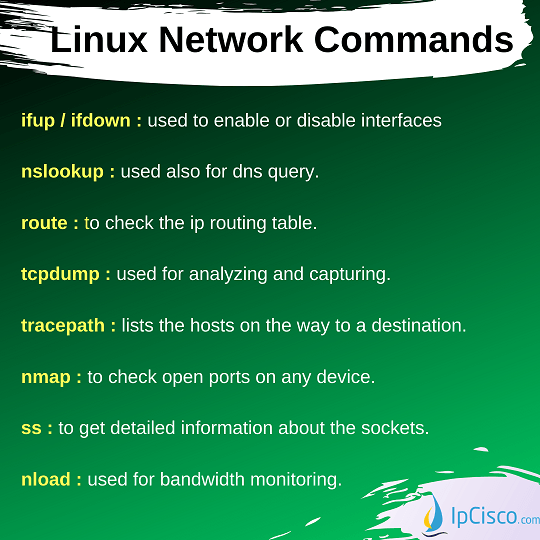
iftop command
iftop command is one of the Network Commands in Linux used to display current bandwidth usage on network interfaces. You can also use this command for a specific interface with “-i” parameter. $ sudo iftop $ sudo iftop -i eth0ifup / Ifdown command
On your servers, there are network interfaces. You can administrativaly enable or disable these interfaces. The keywords for these job are “ifup” and “ifdown”. $ ifup eth3 $ ifdown eth4iwconfig command
iwconfig command is used to configure wireless interfaces. You can configure SSID, frequencies etc. any other parameters related to your wireless network interface. $ iwconfig eth0 You can use iwconfig command with various parameters and with these parameters you can set your wireless network interfaces.netstat command
To check network connections, we use “netstat” command on Linux. “netstat” command is very useful especially for troubleshooting activities. Without any options, “netstat” gives the open socket information. But, there are many netstat options. For example if we use “netstat -r”, it gives us the routing table information. $ netstat $ netstat Active Internet connections (w/o servers) Proto Recv-Q Send-Q Local Address Foreign Address State tcp 0 0 192.168.42.1:37442 mirror.comp.nus.ed:http TIME_WAIT tcp 0 0 192.168.42.1:45772 riksun.riken.go.jp:http ESTABLISHED tcp 0 0 192.168.42.1:51281 mirrors.isu.net.sa:http TIME_WAIT …nslookup command
“nslookup” is used also for DNS Query. It gives DNS Server information. $ nslookup www.google.com Server: 192.168.42.1 Address: 192.168.42.1 Non-authoritative answer: Name: www.google.com Address: 2a00:1450:4017:809::2004 172.217.17.164nload command
nload command is also a bandwidth monitoring tool. It also shows the total bandwith usage, minimum bandwith usage, maximum bandwith usage etc. $ nload To check a specific interface, you can use “devices” option. $ nload devices eth0nmap command
With nmap, open ports are checked on any device. This command is used for also security audits. Nmap shows, what services are available and what are their offerings, operationg systems, other characteristic etc. $ nmap Nmap command is used tos can large networks, so it is a very useful audit tool.ping command
“ping” command is the most used command in networking world. Ping is used on Linux similar with the other platforms like cisco, juniper etc. “ping” command can be used with various options. We have talked about these options detailly in “Ping Command For Linux” lesson. $ ping 192.168.1.1route command
To check the IP Routing Table on Linux, we use “route” command. You can see all the defined and learned routes in these tables towards any destination. $ route Kernel IP routing table Destination Gateway Genmask Flags Metric Ref Use Iface 192.168.42.0 * 255.255.255.0 U 0 0 0 eth5 192.168.21.0 * 255.255.255.0 U 0 0 0 eth4 link-local * 255.255.0.0 U 1002 0 0 eth0 default 192.168.1.1 0.0.0.0 UG 0 0 0 eth0 Routing Table can be manuplated also with additional parameters like “add”, “delete”, “flush”. For example: To add a route: $ route add -net 192.168.10.1/24 gw 192.168.1.1 To delete a route: $ route del -net 192.168.17.1/24 gw 192.168.2.1scp command
“scp” is used to secured file transfer between different hosts. You an copy your files to another device in the network or you can get these files also from them with scp. You can copy both files and directories. For directories, you should use extra “-r” parameter From local host to remote host: $ scp $filename user@targethost:remote_path $ scp myfile.txt ipcisco@192.168.15.1:/xyz/remote_files $ scp –r /local/my_works/ ipcisco@192.168.15.1:/xyz/directory_1 From remote host to local host: $ scp user@targethost:remote_path local_path $ scp user@targethost:/file.txt /local/my_files/ $ scp –r user@targethost:/xyz/directory_2 /local/my_works/sftp command
sftp command is one of the File Transfer Protocols used in Linux. It is a secure file transfer protocol. With SFTP, FTP is used over SSH. $ sftp ipcisco@192.168.5.1ss command
ss command gives detailed information about the sockets.We can use “-l” option to list listening sockets and “-t” option for tcp connections only. $ ss -l $ ss -tssh command
“ssh” is a secure connection command used in networking. In Linux, we can use “ssh” to connect any node. We can use “ssh” command with username and IP or Domain name. $ ssh gokhan@200.200.200.1 System administrators uses telnet and ssh usually to connect the server sor network devices that they manage.tcpdump command
Tcpdump command is the most used analyzing and capturing command in Linux. With this commmand output, you can see TCP transmissions on your network $ sudo tcpdump -i eth0 Here, we have checked the default Ethernet interface’s TCP traffic.telnet command
“telnet” is a classical connection command used in networking. In Linux, we can use “telnet” to connect any node. We can use only ip address or ip address and port number with “telnet” command. $ telnet 200.200.200.1tshark command
tshark command is one of the Network Commands in Linux used for packet analyze and stronger command than most used tcpdump. It is a Wireshark utulity. To capture the traffic on an interface, we can use it with “-i” parameter. $ sudo tshark –i eth0 W can list all the interfaces that we are capturing with “-D” option. $ sudo tshark -Dtracepath command
tracepath command is a similar path tracking Linux command like traceroute command. But you do not need to be superuser to use tracepath command. With tracepath, you can list the host series on the way to a destination. $ tracepath www.google.comtraceroute command
“traceroute” is a command that is used to check the nodes on the way to a destination from your system. In other words, it checks the hops and their availability. “traceroute” command is used widely in network World and the usage of this important network command is also same in Linux Systems. $ traceroute google.com traceroute to google.com (172.217.17.164), 35 hops max, 60 byte packets 1 192.16.43.1 (192.16.43.1) 0.122 ms 0.042 ms 0.042 ms 2 175.42.102.1 (175.42.102.1) 0.422 ms 0.151 ms 0.151 ms 3 * * * 4 * * * …w command
w command is used to check the current system activity. This can be a user activity or any process related to the system. You can list the current users on your Linux machine with w command. $ w 10:12:15 up 1:12, 5 users, load average: 0.54, 0.46, 0.12 USER TTY LOGIN@ IDLE JCPU PCPU WHAT İpcisco :0 10:12 ?xdm? 4:07 0.11s gdm-session-worker [pam/gdm-password] İpcisco pts/0 10:12 0.00s 0.12s 2.42s /usr/libexec/gnome-terminal-serverwget command
“wget” is used to download the content of the web servers. You can also download a specific file from the web server. Below, you can see wget command that will download abc.txt from xyz.com. $ wget http://xyz.com/abc.txtwhois command
Whois commands check the whois database and return with IP and Domain information. $ whois www.google.com Here, we have seen most important Network Commands in Linux related with your Network Operations.You can also access Top Linux Commands and Download Linux Command Cheat Sheet!
 [sc name=”ContentRMessage”]