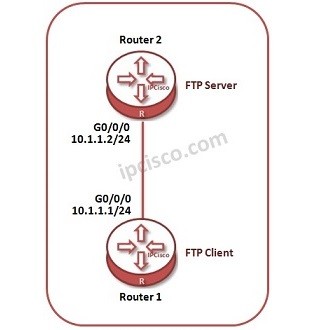
In this Huawei FTP Configuration example, we will configure a router as FTP Server and then we will try to connect this FTP Server router from another router. Here, this another router will be our FTP Client.
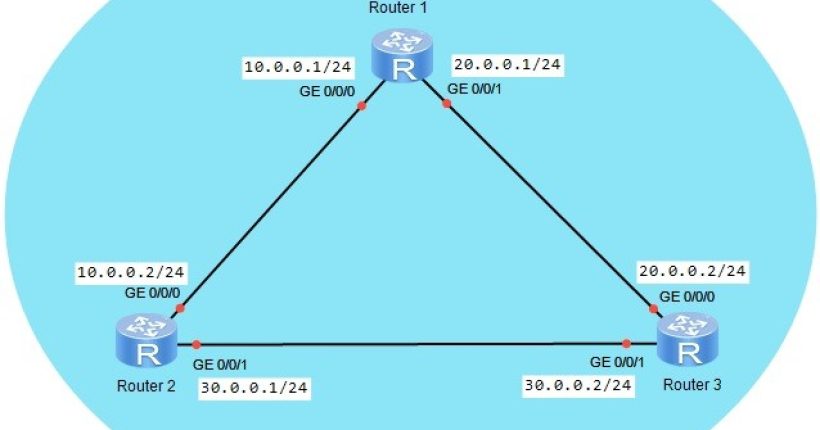
For our configuration, we will use the below topology.
Let’s start to the configuration.
Firstly, we will configure IP addresses of each interfaces of these two routers.
<Huawei-Router1> system-view
[Huawei-Router1] interface GigabitEthernet0/0/0
[Huawei-Router1-GigabitEthernet0/0/0] ip address 10.1.1.1 24
[Huawei-Router1-GigabitEthernet0/0/0] undo shutdown
[Huawei-Router1-GigabitEthernet0/0/0] quit
<Huawei-Router2> system-view
[Huawei-Router2] interface GigabitEthernet0/0/0
[Huawei-Router2-GigabitEthernet0/0/0] ip address 10.1.1.2 24
[Huawei-Router2-GigabitEthernet0/0/0] undo shutdown
[Huawei-Router2-GigabitEthernet0/0/0] quit
After interface configuration, let’s configure Router 2 as FTP Server.
Let’s start to the configuration.
Firstly, we will configure IP addresses of each interfaces of these two routers.
<Huawei-Router1> system-view
[Huawei-Router1] interface GigabitEthernet0/0/0
[Huawei-Router1-GigabitEthernet0/0/0] ip address 10.1.1.1 24
[Huawei-Router1-GigabitEthernet0/0/0] undo shutdown
[Huawei-Router1-GigabitEthernet0/0/0] quit
<Huawei-Router2> system-view
[Huawei-Router2] interface GigabitEthernet0/0/0
[Huawei-Router2-GigabitEthernet0/0/0] ip address 10.1.1.2 24
[Huawei-Router2-GigabitEthernet0/0/0] undo shutdown
[Huawei-Router2-GigabitEthernet0/0/0] quit
After interface configuration, let’s configure Router 2 as FTP Server.
FTP Server Configuration
FTP Server configuration starts firstly, by enabling “FTP Server Mode”. After enabling FTP Server Mode, default FTP Directory is set. [Huawei-Router2] ftp server enable [Huawei-Router2] set default ftp-directory sdl: Now, let’s configure FTP user related parameters of FTP Server. We will enter the “aaa”, and there, we will create FTP user with its username and password. [Huawei-Router] aaa [Huawei-Router-aaa] local-user gokhan password cipher abc123 [Huawei-Router-aaa] local-user gokhan service-type ftp Then, we will also define the FTP Directory location (here we will select flash:/). [Huawei-Router-aaa] local-user gokhan ftp-diretory flash:/ And we will define, “access-limit” to this user with “timeout” values also. [sc name=”ContentRMessage”]