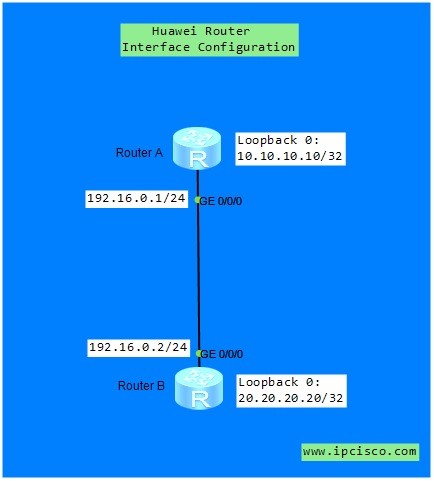
Huawei Router Interface Configuration
Huawei Router Interface Configuration is one of the first configuration that Junior Network Engineers learn on Huawei Routers. Here, we will show how to configure Huawei Router Interfaces with given IP addresses.You can test youself with Huawei HCIA Questions Page.
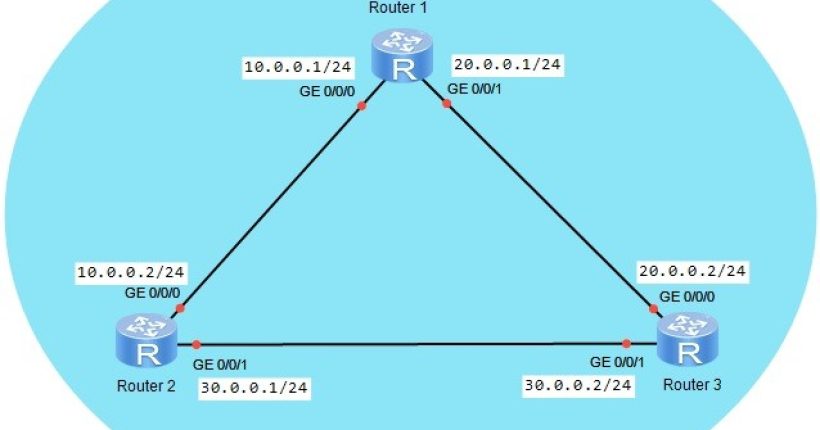
For our example, we will use the below simple topology.
You can download this configuration on Huawei eNSP Labs Page.
As you can see above, there are two types interfaces. These are :
- Pyhsical Interfaces
- Loopback Interfaces
<Huawei-RouterA> system-view
[Huawei-RouterA] interface GigabitEthernet 0/0/0
[Huawei-RouterA-GigabitEthernet0/0/0] ip address 192.168.0.1  255.255.255.0
[Huawei-RouterA-GigabitEthernet0/0/0] undo shutdown
[Huawei-RouterA-GigabitEthernet0/0/0] quit
[Huawei-RouterA] interface Loopback 0
[Huawei-RouterA-Loopback0] ip address 10.10.10.10 32
[Huawei-RouterA-Loopback0] quit
< Huawei-RouterB> system-view
[Huawei-RouterB] interface GigabitEthernet 0/0/0
[Huawei-RouterB-GigabitEthernet0/0/0] ip address 192.168.0.2  255.255.255.0
[Huawei-RouterB-GigabitEthernet0/0/0] undo shutdown
[Huawei-RouterB-GigabitEthernet0/0/0] quit
[Huawei-RouterB] interface Loopback 0
[Huawei-RouterB-Loopback0] ip address 20.20.20.20 32
[Huawei-RouterB-Loopback0] quit
[Huawei-RouterA] ping 192.168.0.2
[Huawei-RouterB] ping 192.168.0.1
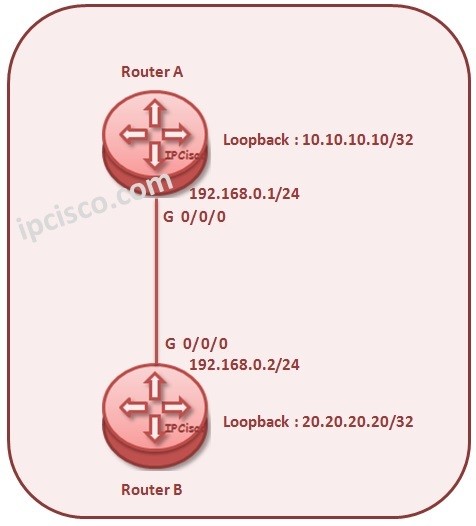 After Huawei interface configuration, you can focus on other Huawei HCIA configurations like Huawei NAT, DHCP, OSPF configurations. With more practice on Huawei CLI, you will be more familiar on Huawe commands. Because these commands are both improtant for your job and for HCIA Exam.
Cisco vs Juniper vs Huawei vs Nokia Configuration Commands
[sc name=”ContentRMessage”]