How to Configure VRRP on Cisco Switches?
In this
VRRP exampleCisco Configuration Example, we will work on
Cisco IOS and configure
VRRP (Virtual Router Redundancy Protocol) on
Cisco Routers.
Configuring VRRP Protocol is like configuring Cisco Proprietary protocol HSRP. There are only small command differences.
For our
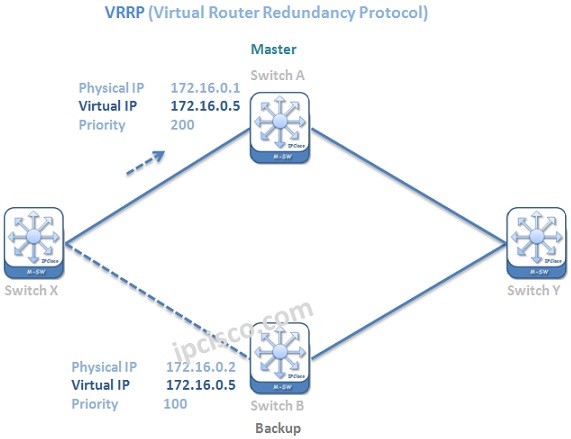
VRRP Cisco Configuration Example, we will use the below topology:
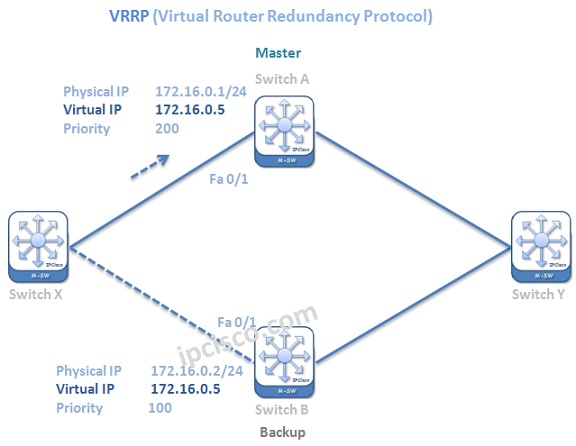
Now, let’s configure
VRRP Protocolon
Cisco Routers and learn VRRP better.
IP Address Configuration
The first step of our VRRP Cisco Configuration is the IP address configuration on interfaces.
Switch A (config)# int fa0/1
Switch A (config-if)# no switchport
Switch A (config-if)# ip address 172.16.0.1 255.255.255.0
Switch A (config-if)# no shutdown
Switch B (config)# int fa0/1
Switch B (config-if)# no switchport
Switch B (config-if)# ip address 172.16.0.2 255.255.255.0
Switch B (config-if)# no shutdown
VRRP Process Creation with Virtual IP
VRRP process is created with the
VRRP Group ID and the
Virtual IP Address.Here, our
VRRP Group ID is 1 and our
Virtual IP address is 172.16.0.5.
Switch A (config-if)# vrrp 1 ip 172.16.0.5
Switch B (config-if)# vrrp 1 ip 172.16.0.5
VRRP Group Description
Like all descriptions, in
VRRP, we can use description to give our VRRP group a memorable description.
Switch A (config-if)# vrrp 1 description Our-vrrp
Switch B (config-if)# vrrp 1 description Our-vrrp
VRRP Priority
For
Master/Backup selection,
VRRP priorities are configured. To manuplate VRRP selection and determine a Master manually,
VRRP Priority values are important. The default one is 100 and the highest one is elected as VRRP Master.
[sc name=”ContentRMessage”]