


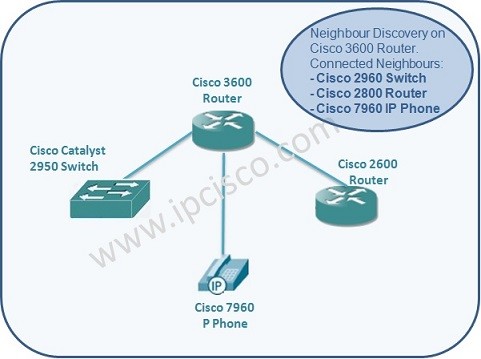
CDP (Cisco Discovery Protocol) is a Cisco specific Neighbour Discovery Protocol works on Layer 2. CDP (Cisco Discovery Protocol) is also licensed to run on some network devices of other vendors. There is also a standard Neighbor Discovery Protocol named LLDP that works on all wendors. Here, we will learn theorical part of Cisco Discovery Protocol. In the next lesson, we will learn How to Configure CDP on Cisco Devices.
By using CDP, Cisco devices discover their directly connected Cisco neighbours. But to do this, CDP must be enable on both devices. By default CDP is enabled on Cisco devices.

Cisco Discovery Protocol
How CDP Works ?
First of all, to use CDP, CDP must be enabled on both end devices. Each CDP enabled device send periodic messages (advertisements) to the multicast adress ” 01:00:0C:CC:CC:CC ” and makes its information available to the nodes which are listenning to it. This periodic advertisements sent every 60 seconds ( Hello Time ). [sc name=”ContentRMessage”]



